
How it works
Five steps, from the first auditfile to the paragraph in your report. You do not have to be an accountant. You only need to know what you want to know.
1. Load the documents
Drag the auditfile of the last years before the bankruptcy into your case. Add bank statements (MT940 or CAMT.053), Excel exports and the annual accounts as PDF.

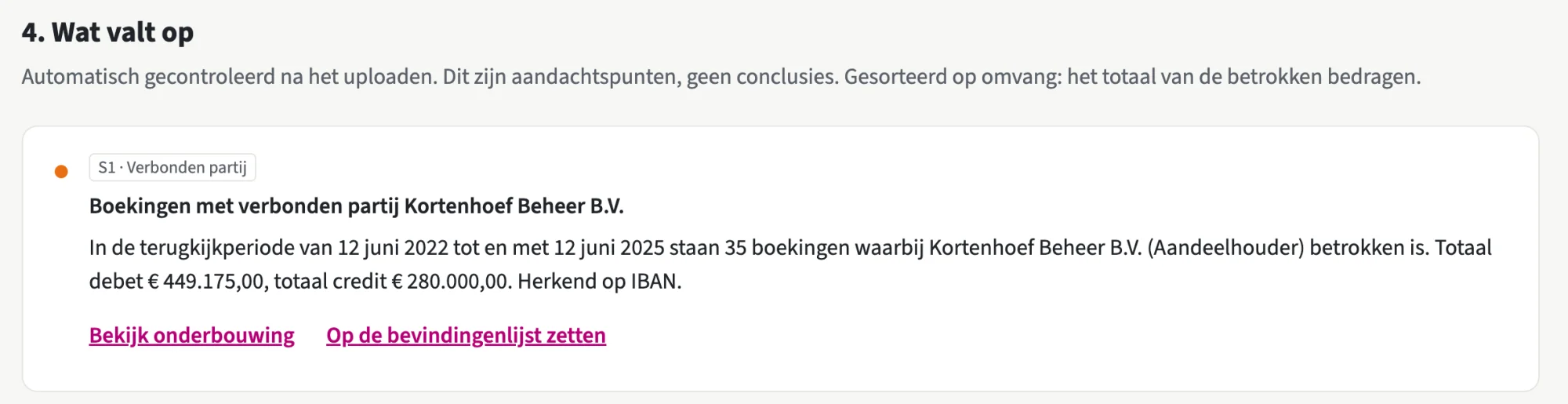
2. See what stands out
TrusteeTrace classifies the accounts, compares bank with bookkeeping and prepares the deviating items for you. Each finding says in plain language what was seen and where.
3. Ask the case
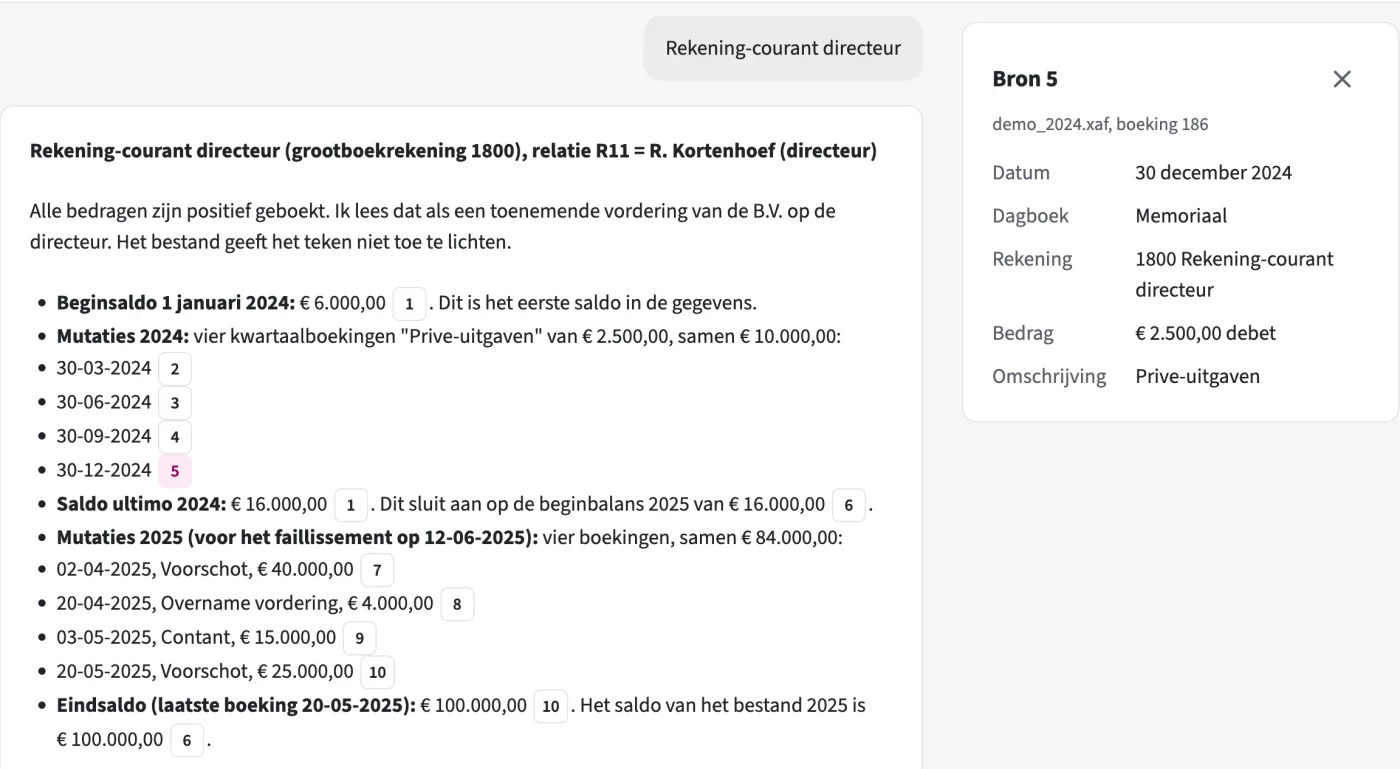
Set what you hear next to what was booked. Ask your question in plain language, the answer names the entries it rests on.

4. Mark the evidence
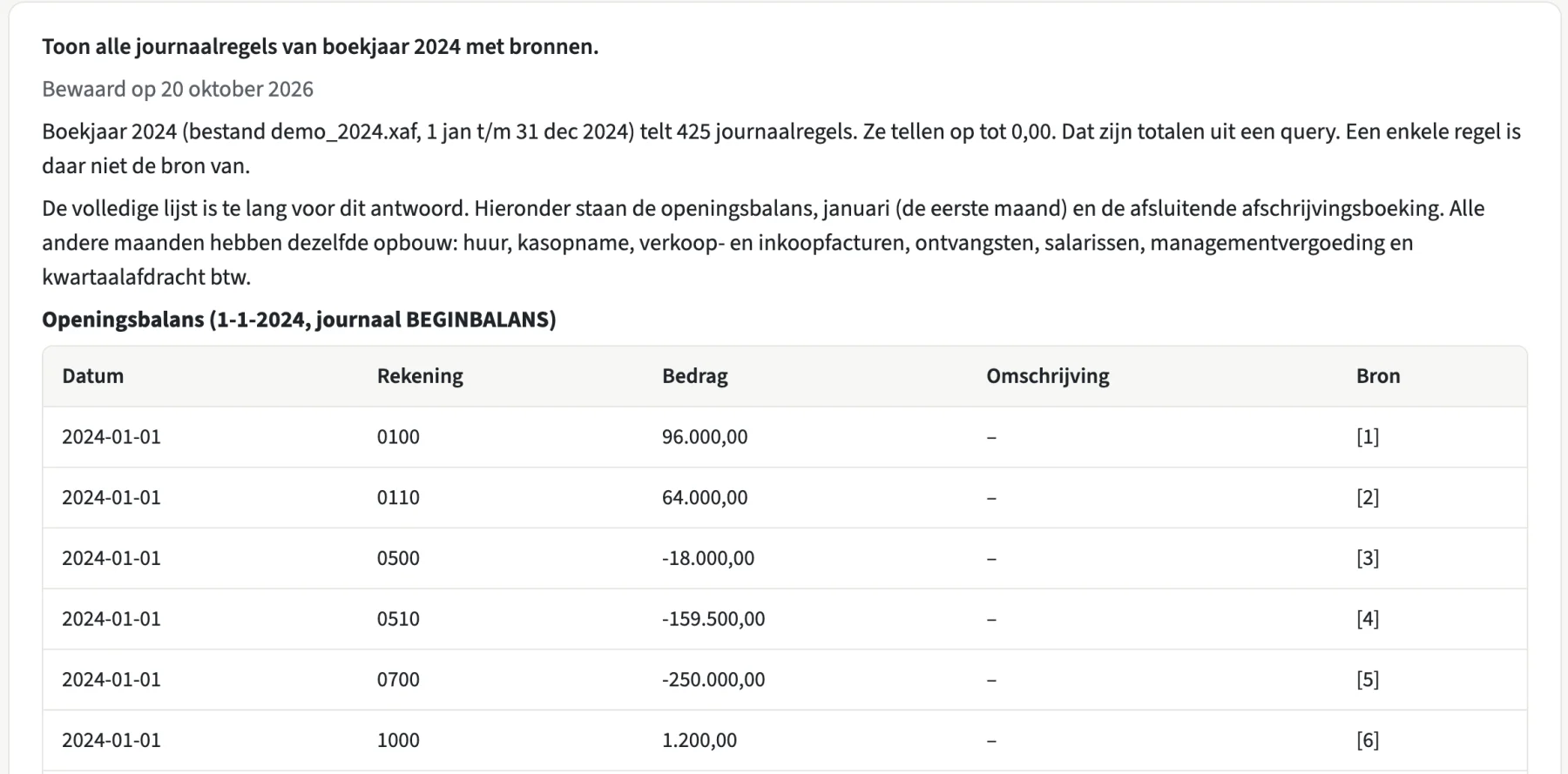
You decide what counts. A marked finding keeps its source line: the entry, the account, the statement or the page in the annual accounts.
5. Export to your report
With one click your findings, with source references, are in a Word or PDF document that you can take over into your bankruptcy report.